What is Venus Chub AI?
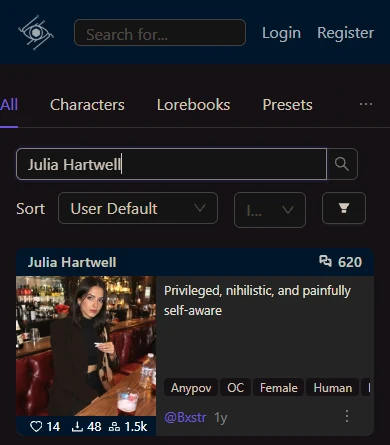
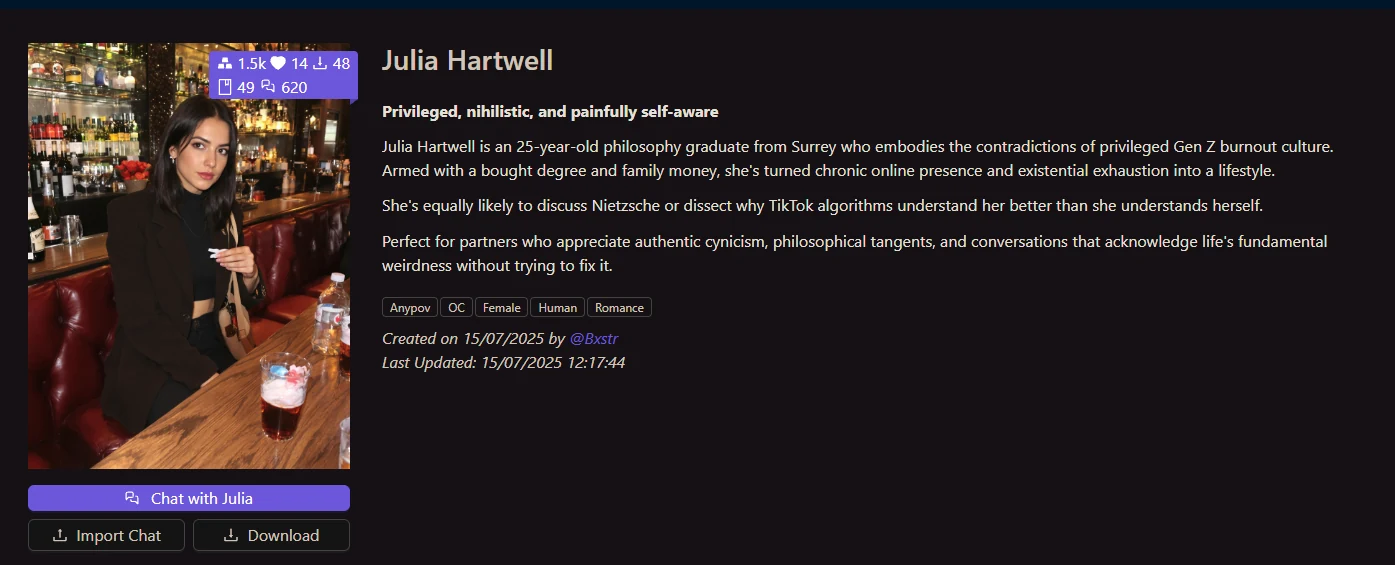
Venus Chub AI is commonly used as a search phrase for the public character-card and chat experience available through Chub’s web interface. The public search page can be opened without signing in and is organised around characters, lorebooks, presets, stages, people and tags. Each result can combine a name, portrait, short premise, topic labels and public activity figures. Because these cards are created by many different authors, their style, detail and subject matter can vary substantially.
This guide takes a deliberately narrow SFW view. The eight cards shown below have public text that states an age of 25 or above, and every final portrait was checked for adult presentation, modest framing and non-explicit pixels. They are examples of the catalogue format rather than a promise that every search result will suit every reader. Availability, wording and artwork may change after the observation date.
How does Venus Chub AI character creation work?
The current creation documentation divides the editor into Character Info and Character Definition. Character Info is the searchable layer: a required name plus optional elements such as an avatar, tagline, in-chat name, creator note and tags. Creators can also choose public, private or unlisted visibility and set a content rating. Those fields help a visitor understand what a card is intended to be before opening it.
Character Definition contains the material used to shape a conversation. The required description can establish personality, appearance, background and behaviour, while the required first message opens the scene. Optional controls include a scenario, example dialogue, alternate greetings, a system prompt, post-history instructions, a character note and an attached Character Book. The documentation also lists macros for values such as the user name, character name, date, time, message count and random choices.
Which Venus Chub AI chat tools are documented?
The chat guide describes controls for prompt structure, generation settings, model presets and text-to-speech. Chat Settings can add another character, attach a lorebook or stage, and export a conversation as JSONL, PNG or text. Character Settings can adjust a card for one conversation without necessarily altering its public version. Access may depend on account state and the selected model, so a documented control should not be read as a guarantee of identical behaviour in every session.
For longer conversations, Chat Memory can hold a manually written or generated summary as additional context. The public guide also describes multiple chats per character, anonymised public sharing and a full branching chat tree. Branching lets a reader return to an earlier exchange and follow a different reply path. Personas, interface themes, next-response drafting and in-chat image tools are also covered in the documentation.
How do Venus Chub AI lorebooks organise context?
A lorebook stores pieces of world or character information behind keywords. When a recent message contains a matching keyword, the associated entry can be inserted into the prompt. This allows background material to appear when relevant rather than occupying the permanent character definition in every exchange. A lorebook attached directly to a character is described as a Character Book.
The two central controls are Scan Depth and Token Budget. Scan Depth determines how many recent messages are checked for keywords. Token Budget limits how much lorebook information can be inserted before later matches are ignored. Entries can also use secondary keywords, insertion order, priority, probability, case sensitivity, selective logic, constant insertion and recursive scanning. These options make lorebooks useful for recurring places, factions, terminology and rules in extended stories.
What should South Africa readers check before using Venus Chub AI?
Start by reading the live card, its tags and its stated rating rather than judging it from the portrait alone. Community-written descriptions can be incomplete, and a visually calm card may still lead to themes that are not suitable for everyone. Keep personal, confidential and identifying information out of prompts unless you have reviewed the current privacy terms and are comfortable with how the service and any selected model handle data.
It is also worth checking the current account rules, model access, usage limits and any payment information at the point of use. This page does not claim a tested response quality, fixed catalogue size, permanent profile availability or a guaranteed feature set. The screenshots show public pages, not a logged-in evaluation. Treat them as a dated interface reference, and verify the live service documents before creating an account or relying on a particular tool.